 |
Easy Tags 1.0
Improved Tag System for Unity
|
|
Easy Tags 1.0
Improved Tag System for Unity
|
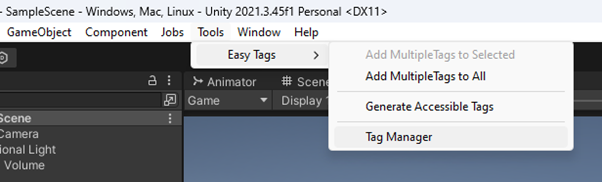
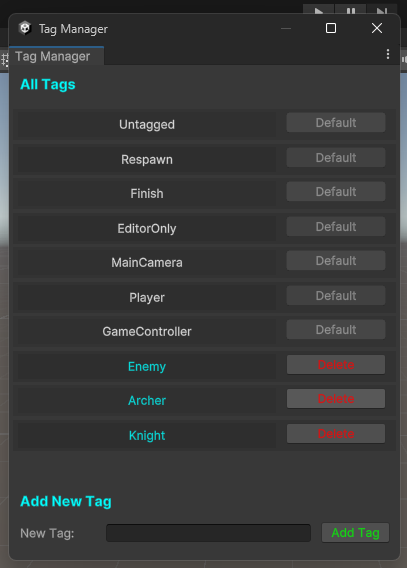
      // Add the namespace
      using UnityEngine;
      using EasyTags;
      // Then you can use the Tags class to directly use the defined tags
      void Start()
      {
          GameObject gameObject = GameObject.FindGameObjectWithTag(Tags.Player);
      }
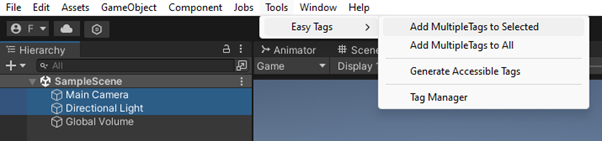
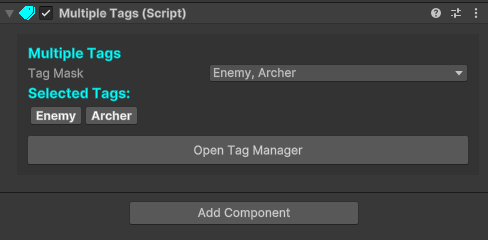
      // Add the namespace
      using UnityEngine;
      using EasyTags;
      // Then you can use [Tag] attribute for tag dropdowns
      [Tag] public string tag;

      // And TagMask property for masks for tags
      public TagMask tagMask;
![[Tag] attribute in inspector](tagattribute.png)
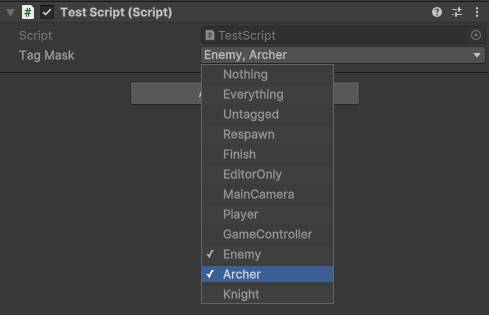
      // Add the namespace
      using UnityEngine;
      using EasyTags;
      // Adding or removing tags from a mask
      public TagMask tagMask;

      void Start()
      {
          tagMask = new TagMask (new string[] {Tags.Enemy, Tags.Player});
          tagMask.AddTagsToMask(new string[] {Tags.Knight, Tags.Archer});
          tagMask.RemoveTagFromMask(Tags.Player);
      }
      // Collision handling example using MultipleTags
      private void OnCollisionEnter (Collision collision)
      {
          // or use MatchesWith(tagMask) based on your use case
          if (collision.gameObject.GetComponent<MultipleTags>().HasTags(tagMask))
          {
              TakeDamage(10);
          }
      }
      // MultipleTags uses TagMask, so something like this is also possible
      string[] selectedTags = gameObject.GetComponent<MultipleTags>().TagMask.GetSelectedTags();

      // Although you can directly use MultipleTags for that
      string[] selectedTags = gameObject.GetComponent<MultipleTags>().GetSelectedTags();
      // Add the namespace
      using UnityEngine;
      using EasyTags;
      // Prepare your TagMask either through code or in the inspector
      public TagMask tagMask;

      void Start()
      {
          // Find specifically tagged game objects that have MultipleTags attached
          GameObject[] archerEnemies = TagMaskUtils.FindGameObjectsWithTags(tagMask);

          // Find specifically tagged transforms that have MultipleTags attached
          Transform[] archerEnemiesTransforms = TagMaskUtils.FindAllWithTags(tagMask);
      }
      // You can even use TagMask to search for traditionally tagged game objects
      // This function finds game objects using more than one tag with TagMask
      // And it works for game objects that doesn't have MultipleTags
      GameObject[] allEnemies = TagMaskUtils.FindGameObjectsWithoutMultipleTags(tagMask);
      // Collision handling example using TagMaskUtils
      private void OnCollisionEnter(Collision collision)
        {
            if (TagMaskUtils.CompareGameObjectsTag(this.gameObject, collision.gameObject))
            {
                // Do something if two MultipleTags game objects have any matching tags
            }
        }
      // You can also check if a list or array of GameObjects has similar MultipleTags
      public GameObject[] gameObjects;

      void Start()
      {
          if (TagMaskUtils.HasAllMatching(gameObjects))
          {
              // Do something if all of the GameObjects have the same tags in their MultipleTags
          }
      }
 1.12.0